---
title: "Stay on top of a working fleet"
sidebarTitle: "Events & attention"
description: "Events, attention signals, the command palette, and notification hygiene for supervising many agents at once."
---
The point of a fleet is that you stop watching terminals. Desk routes agent
signals to you instead: who finished, who needs approval, who is waiting on
input, and what happened in channels while you looked away.
## The attention pipeline
Each agent reports its own lifecycle through hooks Desk installs into the CLI
(and, for native-mode sessions, through the SDK): a turn started, a turn
finished, a tool opened or closed, a permission requested. Desk reads those
typed events — it does not watch the terminal and guess. Each becomes:
- a pulsing lamp on the session row, bubbling up to collapsed groups and
projects,
- an event card in the drawer,
- and an attention sound that follows the mute setting.
An agent that has not reported reads as **unknown**, not as idle. That is the
point: the lamp is worth looking at precisely because it never invents a state
it was not told about. Run `desk hooks install` and restart a session if one
stays unknown — see [Troubleshooting](/troubleshooting).
Attention drives what *you* see. It does not gate channel delivery: a message
reaches an agent whatever its lamp says, because the agent's own CLI buffers
the input until its turn ends.
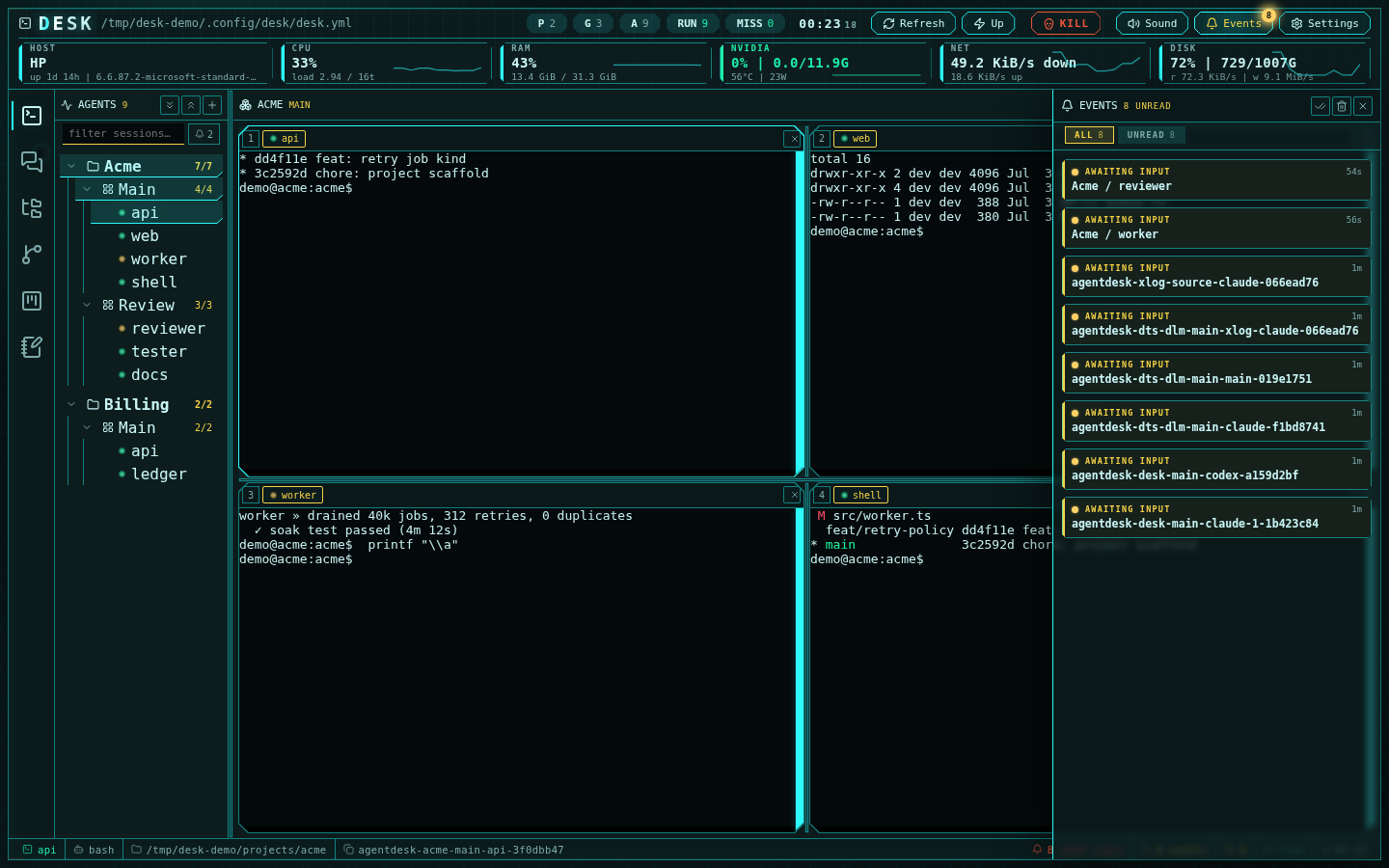 Clicking a card jumps to its source — an agent session or a channel message.
Typing into a session clears its attention; mark-all-read clears the drawer.
## Triage with the palette
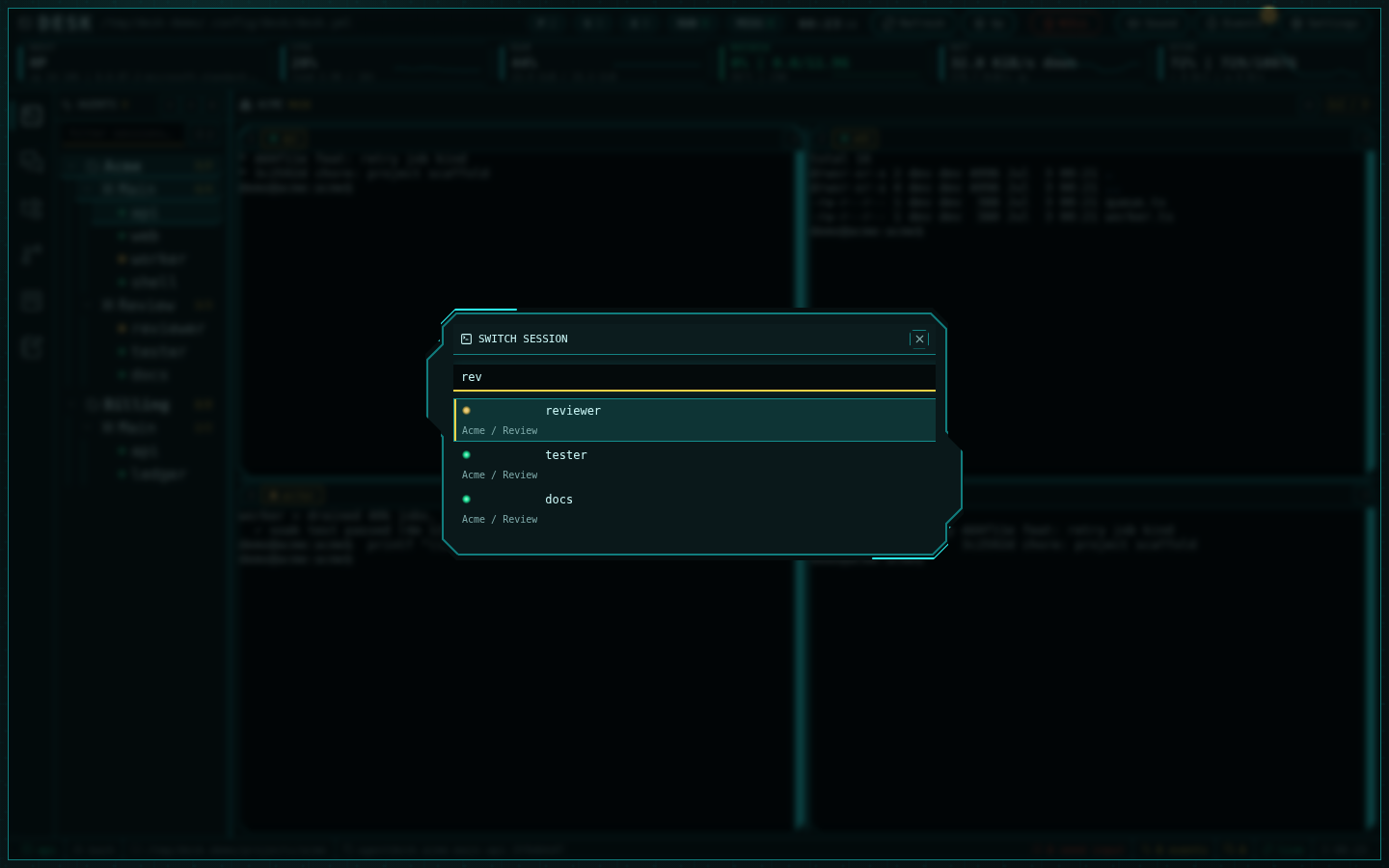
`Ctrl+K` is the fastest route to whoever needs you — attention-needing
sessions rank first, then recents, then tree order:
Clicking a card jumps to its source — an agent session or a channel message.
Typing into a session clears its attention; mark-all-read clears the drawer.
## Triage with the palette
`Ctrl+K` is the fastest route to whoever needs you — attention-needing
sessions rank first, then recents, then tree order:
 `Ctrl+Alt+1..9` focuses grid cells directly, and `Ctrl+Alt+←/→` cycles the
whole tree. The sidebar's bell chip filters to screaming sessions only.
## Channel signals
Channel messages emit their own event cards — `@human` mentions flagged —
and unanswered mentions escalate into the channels **Inbox**. Unread badges
on the rail and status bar stay live even while you work in another
subsystem, and the **While you were away** digest summarizes what
accumulated.
## Status bar: the always-on summary
The bottom bar keeps the counts visible everywhere: agents needing input,
unread events, unread channel messages, mute state, and sync health. Each is
clickable — the needs-input count opens the drawer filtered to inputs.
## Make it yours
Settings (gear icon) control the experience:
`Ctrl+Alt+1..9` focuses grid cells directly, and `Ctrl+Alt+←/→` cycles the
whole tree. The sidebar's bell chip filters to screaming sessions only.
## Channel signals
Channel messages emit their own event cards — `@human` mentions flagged —
and unanswered mentions escalate into the channels **Inbox**. Unread badges
on the rail and status bar stay live even while you work in another
subsystem, and the **While you were away** digest summarizes what
accumulated.
## Status bar: the always-on summary
The bottom bar keeps the counts visible everywhere: agents needing input,
unread events, unread channel messages, mute state, and sync health. Each is
clickable — the needs-input count opens the drawer filtered to inputs.
## Make it yours
Settings (gear icon) control the experience:
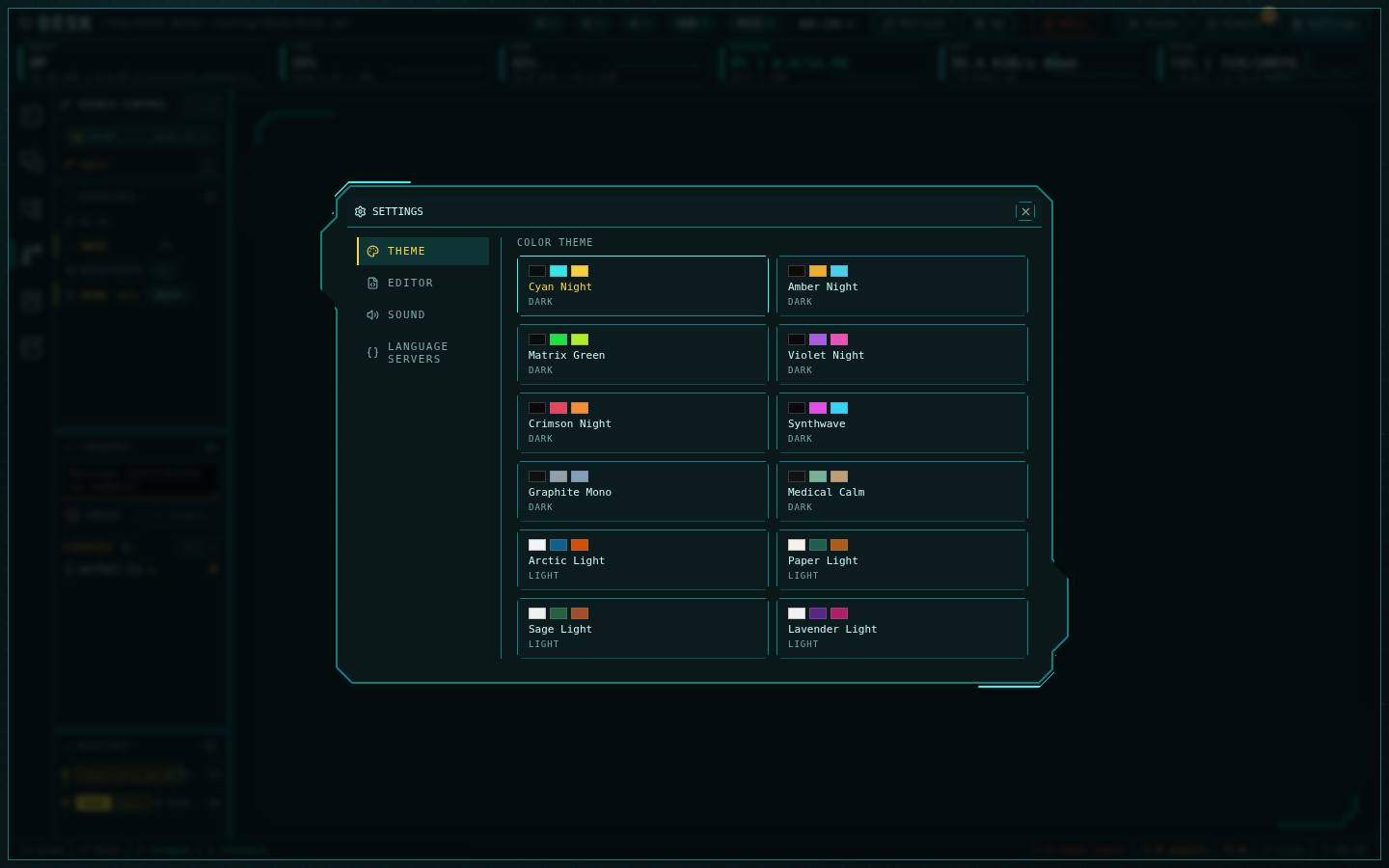 - **Themes** — twelve palettes, applied live including terminal colors.
- **Sound** — the full Arwes sound design or silence; the toolbar toggle
matches.
- **Reduced motion** — Desk honors the OS setting and disables animations.
On phones, everything above compresses into the burger menu, a compact
telemetry strip, and the state-tinted pager — triage from the couch works.
- **Themes** — twelve palettes, applied live including terminal colors.
- **Sound** — the full Arwes sound design or silence; the toolbar toggle
matches.
- **Reduced motion** — Desk honors the OS setting and disables animations.
On phones, everything above compresses into the burger menu, a compact
telemetry strip, and the state-tinted pager — triage from the couch works.