---
title: "Plan work on GitHub Projects"
sidebarTitle: "Projects planning"
description: "Drive a GitHub Projects v2 board from Desk: triage, assignment, status updates, and keeping planning beside the agents doing the work."
---
When the work agents do is tracked on a GitHub Projects board, Desk brings
the board into the same workspace — no tab-switching between the fleet and
the plan.
 ## Connect
The subsystem uses your GitHub CLI login and needs the `project` scope:
```bash
gh auth login
gh auth refresh -s project
```
Desk stores no separate GitHub token, and the UI shows a re-check gate until
the scope is present. The picker then lists your most recently updated
projects and those of your organizations (the first pages GitHub returns —
use GitHub itself for very long project lists).
## Triage on the board
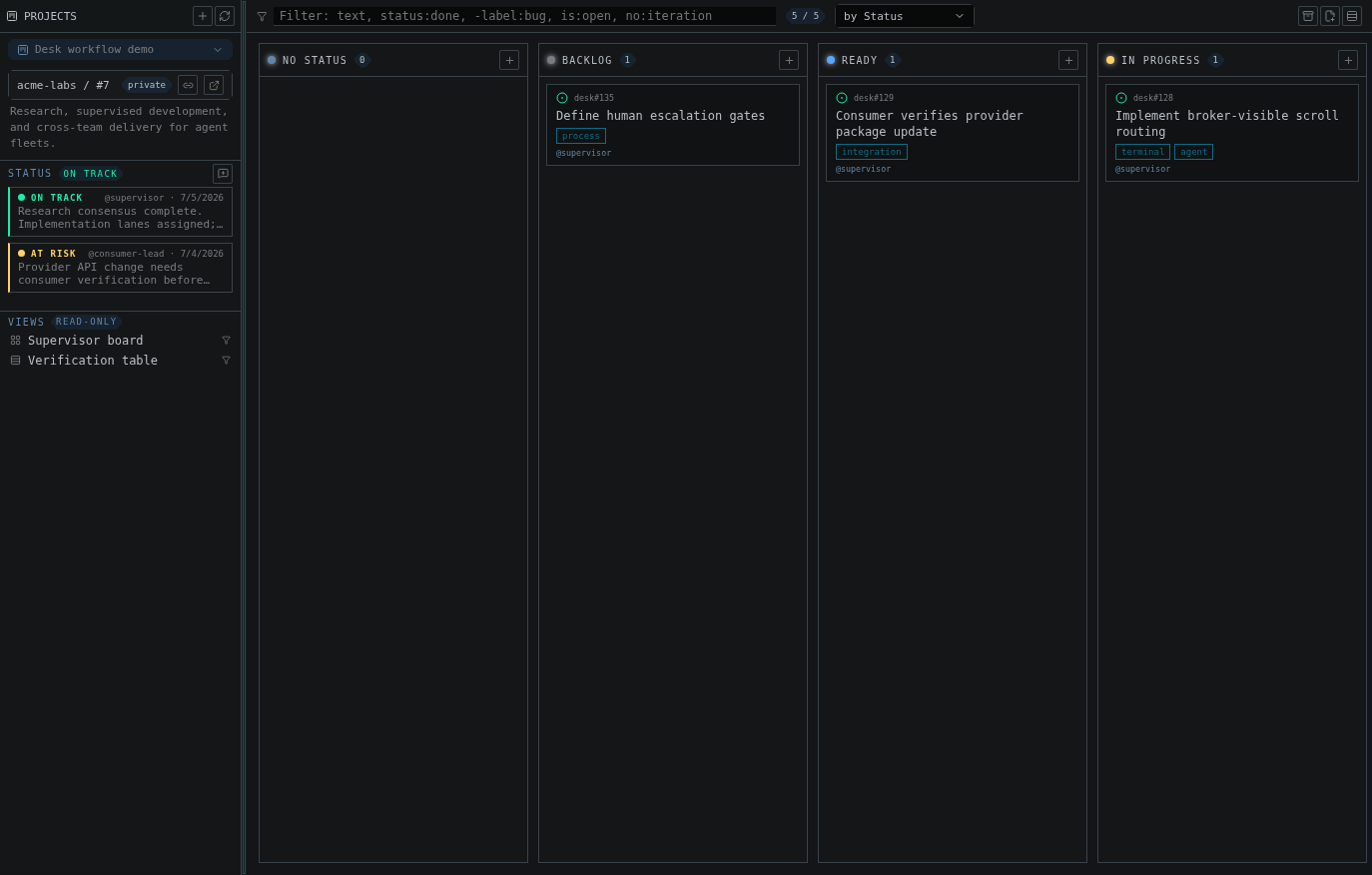
Group the board by Status (or any single-select or iteration field), drag
cards between columns, and reorder within a column — the same mutations
GitHub applies, through `gh`. Saved views defined on GitHub appear as chips;
the filter bar takes GitHub-style syntax:
```text
status:done -label:bug is:open no:iteration
```
Boards cap at 1000 items with an explicit truncated indicator, so a filtered
view is always honest about completeness.
## Work items without leaving Desk
The item drawer opens issues, pull requests, and drafts with markdown bodies
and recent comments. From the drawer or the card menu you can:
## Connect
The subsystem uses your GitHub CLI login and needs the `project` scope:
```bash
gh auth login
gh auth refresh -s project
```
Desk stores no separate GitHub token, and the UI shows a re-check gate until
the scope is present. The picker then lists your most recently updated
projects and those of your organizations (the first pages GitHub returns —
use GitHub itself for very long project lists).
## Triage on the board
Group the board by Status (or any single-select or iteration field), drag
cards between columns, and reorder within a column — the same mutations
GitHub applies, through `gh`. Saved views defined on GitHub appear as chips;
the filter bar takes GitHub-style syntax:
```text
status:done -label:bug is:open no:iteration
```
Boards cap at 1000 items with an explicit truncated indicator, so a filtered
view is always honest about completeness.
## Work items without leaving Desk
The item drawer opens issues, pull requests, and drafts with markdown bodies
and recent comments. From the drawer or the card menu you can:
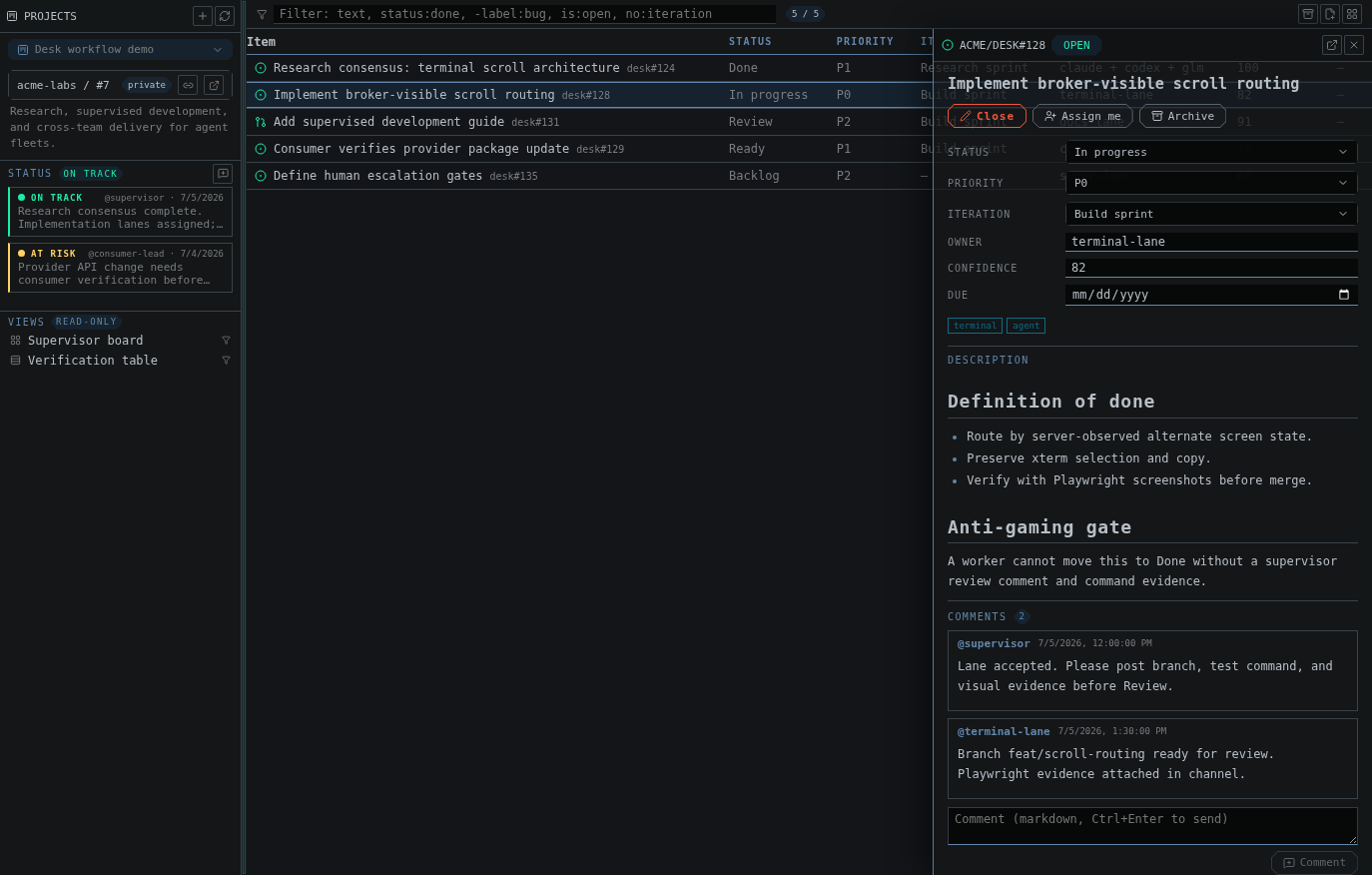 - edit any field (text, number, date, single-select, iteration)
- assign yourself, close and reopen
- comment
- convert a draft into a real issue in a chosen repository
- archive, unarchive, or remove from the project
Add work fast: paste an issue or PR URL to add it to the board, or type a
bare title to create a draft.
## Post status updates
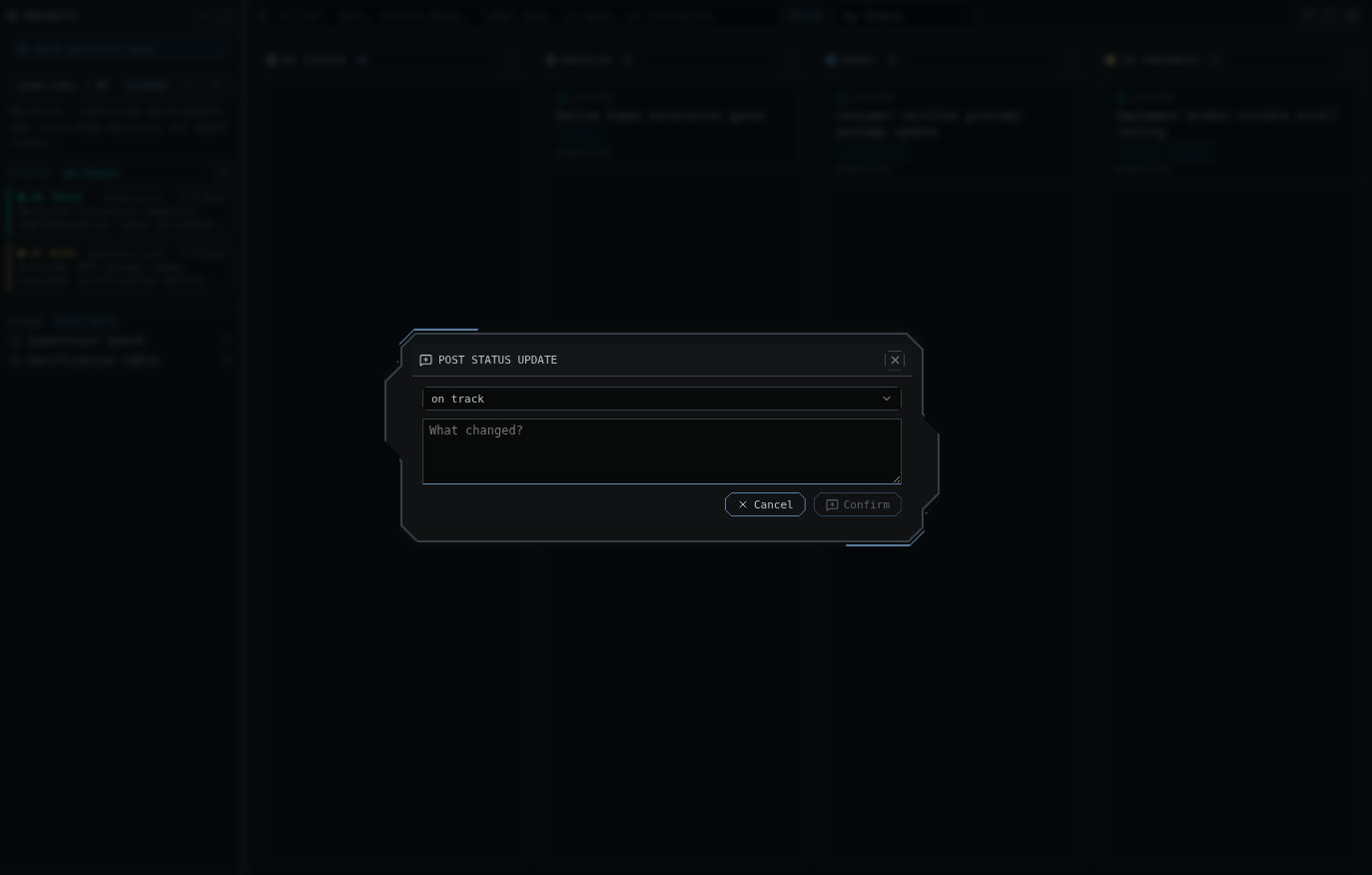
Project status updates (on track, at risk, off track, complete) post from
the sidebar and show with their tone — the planning heartbeat lives next to
the terminals doing the work.
- edit any field (text, number, date, single-select, iteration)
- assign yourself, close and reopen
- comment
- convert a draft into a real issue in a chosen repository
- archive, unarchive, or remove from the project
Add work fast: paste an issue or PR URL to add it to the board, or type a
bare title to create a draft.
## Post status updates
Project status updates (on track, at risk, off track, complete) post from
the sidebar and show with their tone — the planning heartbeat lives next to
the terminals doing the work.
 ## A working rhythm
1. Morning: filter `is:open no:iteration`, drag this sprint's cards in.
2. Assign a card, then open the matching project channel and mention the
agent with the card's acceptance criteria.
3. As agents finish, move cards by dragging — or let the reviewer agent
comment on the issue directly via `gh`.
4. Post a status update before you step away.
The full feature reference is in [GitHub Projects](/github-projects).
## A working rhythm
1. Morning: filter `is:open no:iteration`, drag this sprint's cards in.
2. Assign a card, then open the matching project channel and mention the
agent with the card's acceptance criteria.
3. As agents finish, move cards by dragging — or let the reviewer agent
comment on the issue directly via `gh`.
4. Post a status update before you step away.
The full feature reference is in [GitHub Projects](/github-projects).