---
title: "Notes"
description: "Project notes and knowledge capture"
---
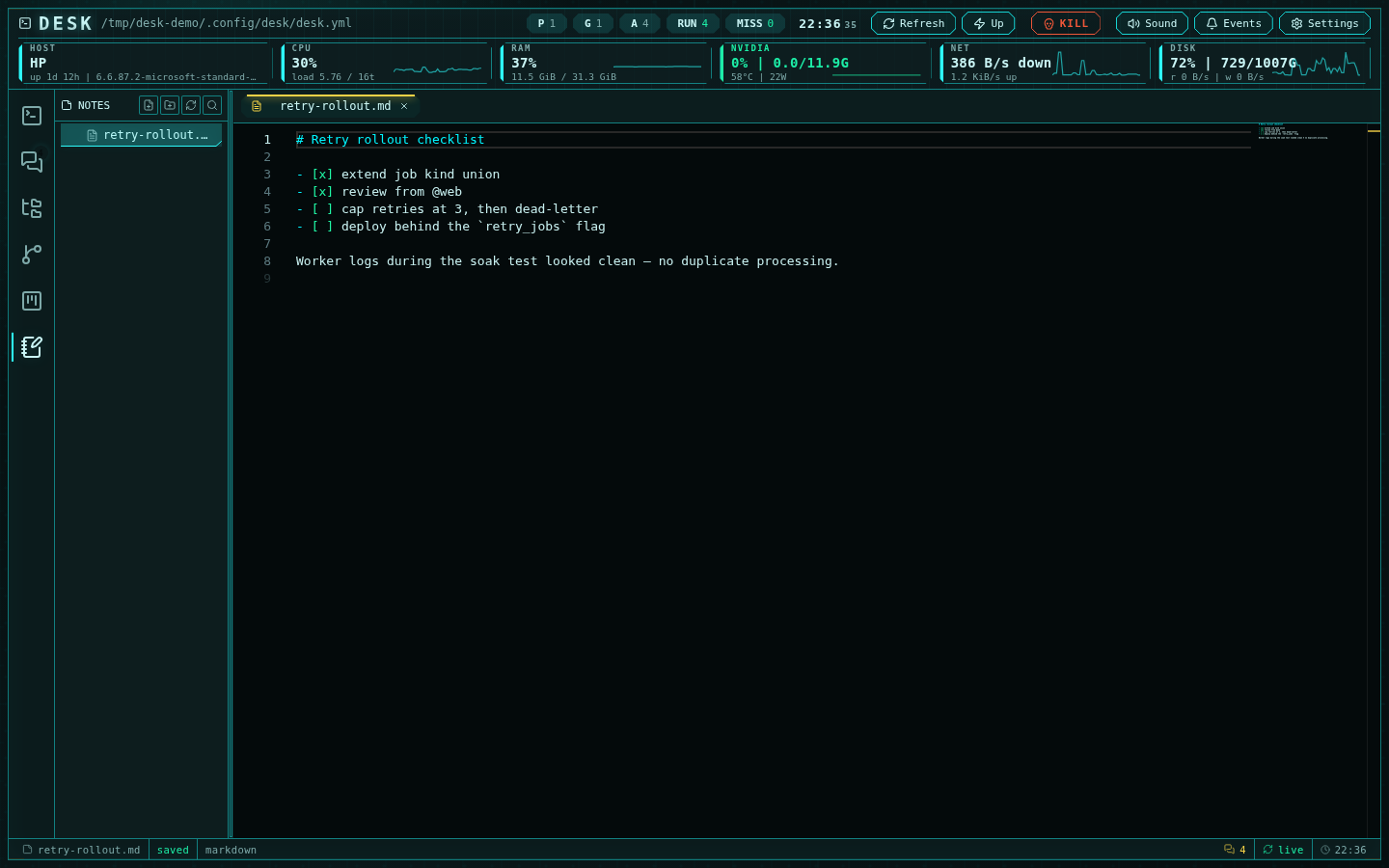
Desk notes are local markdown files for quick operator memory, investigation
scratchpads, and terminal-derived snippets.
 ## Storage
Notes live under a fixed home:
```text
~/.config/desk/notes
```
The directory is created automatically. Notes are ordinary markdown files —
edit, back up, or sync them with any external tool.
## Note explorer
The notes subsystem reuses the editor's explorer, pinned to the notes home
(there is no root picker): create, rename, delete, folders, and drag-and-drop
organization all work the same way. Open tabs and the active note persist
across restarts.
New notes name themselves: an untitled note is renamed on save from its first
content line — markdown markers stripped, filesystem-hostile characters
removed — with automatic `-2`, `-3` deduplication.
## Editing
Notes open in Monaco and toggle between source and rendered markdown —
GitHub-flavored tables, KaTeX math, Mermaid diagrams, and highlighted code,
with a live preview that tracks unsaved edits. Autosave is always on for
notes (mtime-guarded, so external edits never get clobbered), keeping
short-lived scratch work from getting lost while agents are running.
Git integration is deliberately disabled in the notes variant — notes are a
capture surface, not a repository.
## Terminal context
Select text in an agent terminal and choose **Create note** from the
right-click menu: Desk switches to notes, creates a note seeded with the
selection, and auto-names it from the content. This keeps useful output,
hypotheses, commands, and investigation trails attached to the operator's
workspace without pasting them into an external app.
## Storage
Notes live under a fixed home:
```text
~/.config/desk/notes
```
The directory is created automatically. Notes are ordinary markdown files —
edit, back up, or sync them with any external tool.
## Note explorer
The notes subsystem reuses the editor's explorer, pinned to the notes home
(there is no root picker): create, rename, delete, folders, and drag-and-drop
organization all work the same way. Open tabs and the active note persist
across restarts.
New notes name themselves: an untitled note is renamed on save from its first
content line — markdown markers stripped, filesystem-hostile characters
removed — with automatic `-2`, `-3` deduplication.
## Editing
Notes open in Monaco and toggle between source and rendered markdown —
GitHub-flavored tables, KaTeX math, Mermaid diagrams, and highlighted code,
with a live preview that tracks unsaved edits. Autosave is always on for
notes (mtime-guarded, so external edits never get clobbered), keeping
short-lived scratch work from getting lost while agents are running.
Git integration is deliberately disabled in the notes variant — notes are a
capture surface, not a repository.
## Terminal context
Select text in an agent terminal and choose **Create note** from the
right-click menu: Desk switches to notes, creates a note seeded with the
selection, and auto-names it from the content. This keeps useful output,
hypotheses, commands, and investigation trails attached to the operator's
workspace without pasting them into an external app.