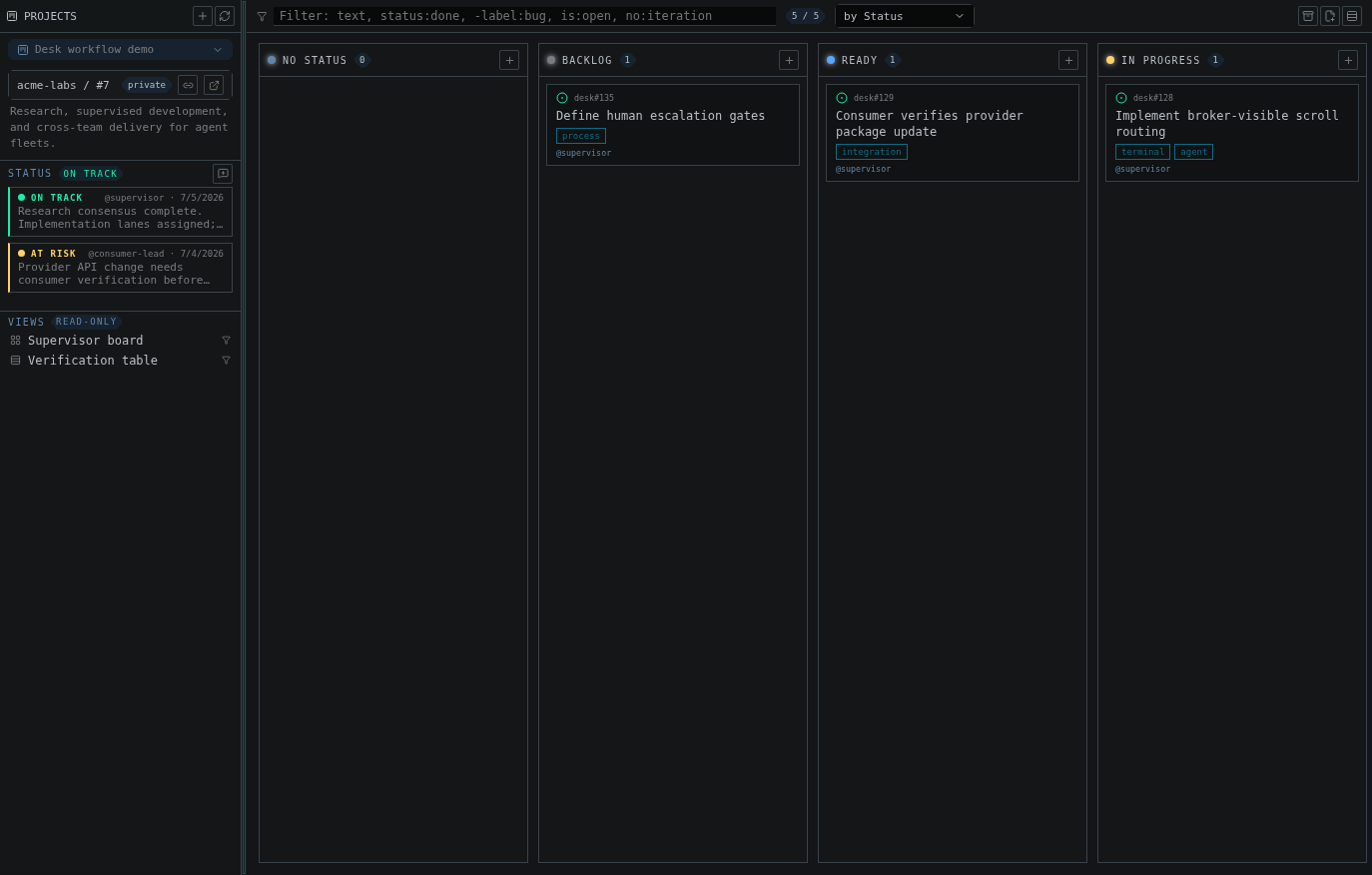
A GitHub Projects board in Desk: project metadata, status updates, saved views, filters, grouped cards, and the active work items
gh api graphqlfor Projects v2 queries and mutationsgh issueandgh prfor issue and pull request operations
Authentication
Authenticate the GitHub CLI first:project scope:
Project picker
Desk lists projects visible to the authenticated account:- viewer-owned projects
- organization projects visible to the viewer
Loading limits
Desk pages through project items and stops fetching after the first 1000 — a Desk-side loading cap, not a GitHub limit; the project itself can hold more. If a board is truncated this way, the UI shows a truncated state so you know it is not complete. Use filters, saved views, or GitHub itself for very large project audits.Board view
The board groups items by a single-select or iteration field. Items without a value collect in a leading “No Status”-style column named after that field, which is hidden while empty (the same way GitHub hides it under a-no:status
filter).
You can:
- switch the group-by field
- drag cards between columns
- reorder cards within a column
- show or hide archived items
- open an item drawer
- use saved GitHub view chips when the project exposes them
Table view
The table view gives a dense list with sortable columns and inline field editing.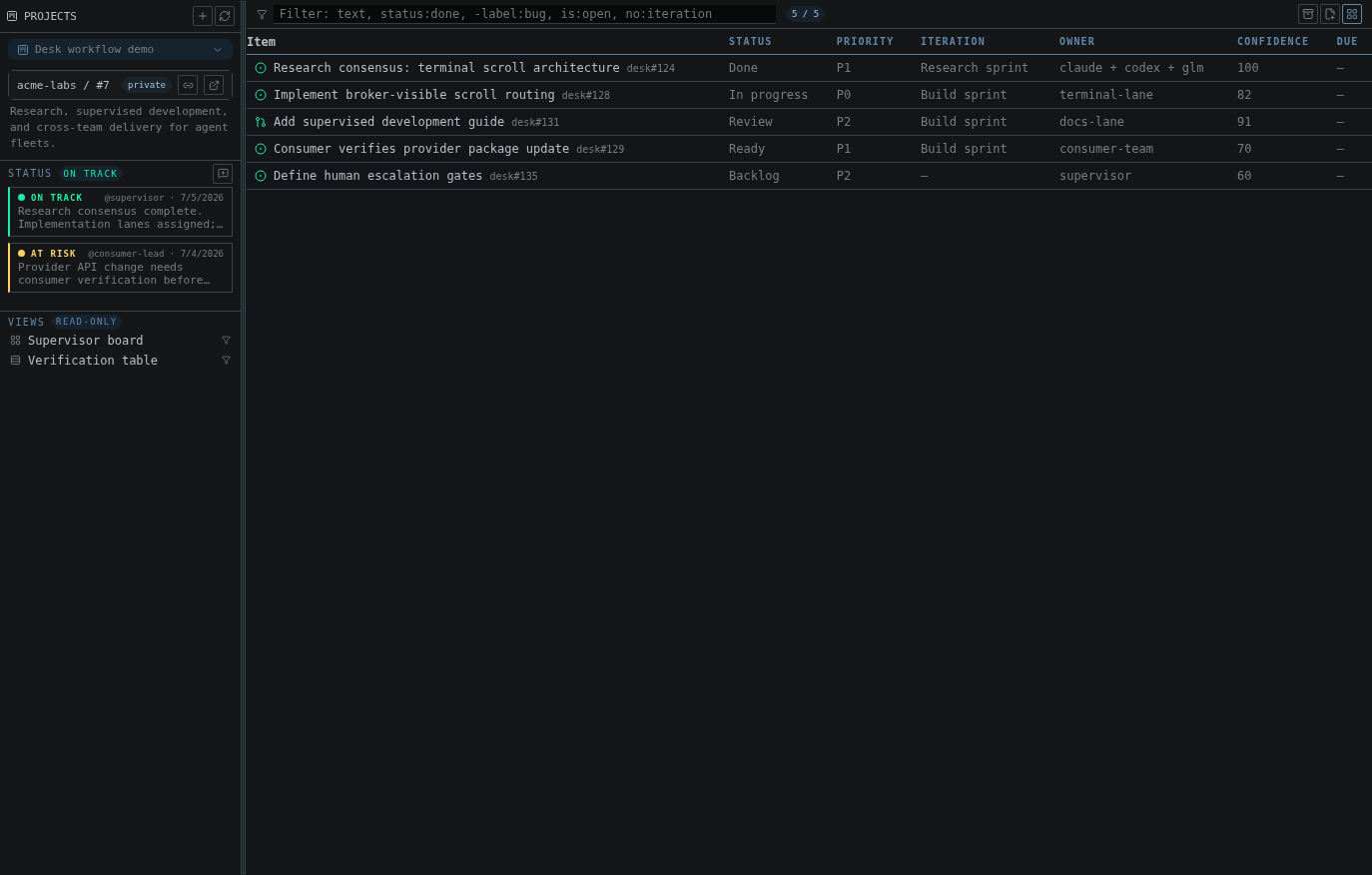
The table layout: project fields, owners, iterations, confidence values, and item status in one dense view
- text
- number
- date
- single-select
- iteration
- clearing a field value
Filters
The filter bar supports free text and structured filters:is:issue,is:pr,is:draftis:open,is:closed,is:merged,is:archivedassignee:<login>, includingassignee:@mefor the signed-in accountlabel:<label>repo:<owner/name>no:<field>, plusno:assignee,no:label, andno:milestoneagainst the issue itselfhas:<field>, the positive twin ofno:— non-empty assignees, labels, milestone, or any fieldreason:completed,reason:reopened,reason:"not planned"type:<issue type>against the organization issue type (Bug, Task, …)- date qualifiers on
created:,updated:,closed:, and any DATE field by name, with>,>=,<,<=, an exact day, or ana..brange - comma lists as any-of within one qualifier:
label:bug,ui,status:todo,"in progress" - any project field by name
- negation with
- - quoted values
Item drawer
Open an item to inspect and update its details.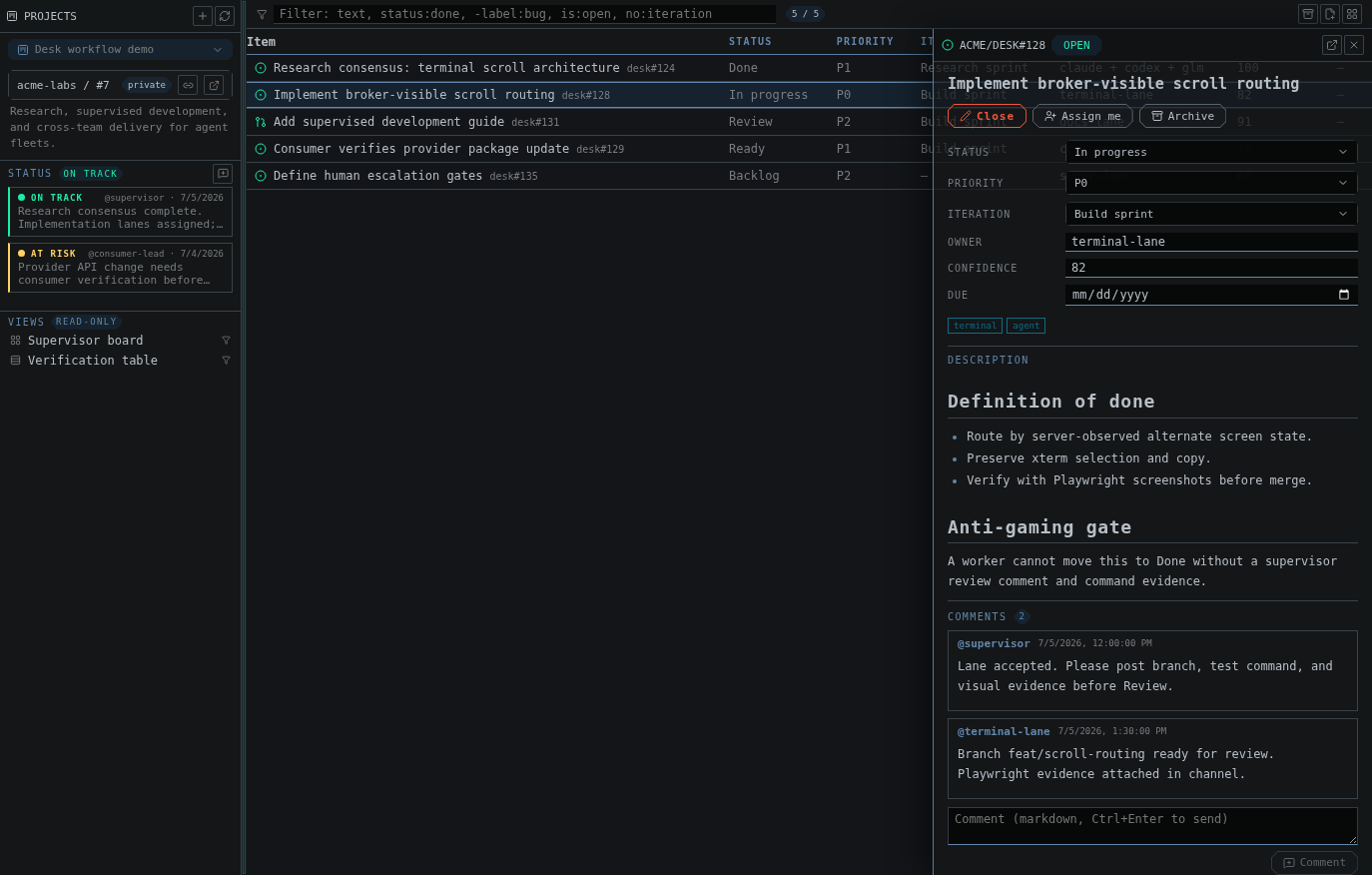
An item drawer with editable fields, rendered markdown, comments, and issue actions
- rendered markdown body
- editable project fields
- comments
- assignee editing: assign yourself, or add and remove any login
- label editing: add and remove labels inline
- close and reopen for issues and pull requests
- draft item editing
- draft-to-issue conversion
- archive and unarchive
- delete item
Adding items
You can add an item by URL when GitHub can resolve it to an issue or a pull request. Any other text creates a draft item instead.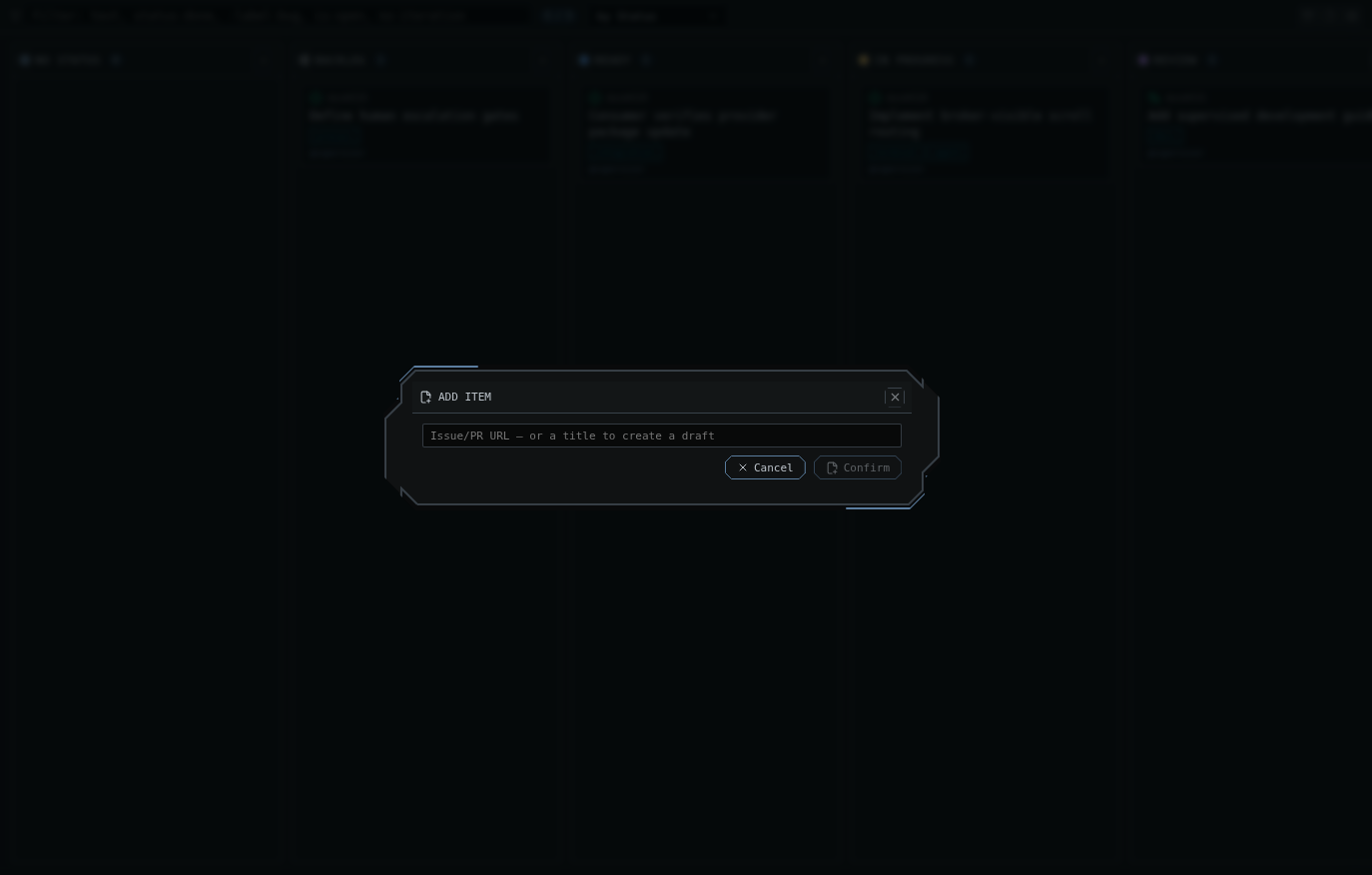
Add an issue, pull request, or draft title without leaving the Projects surface
Status updates
Desk supports project status updates, including create and delete operations (delete asks for confirmation). Status updates carry a health value such as on track, at risk, or off track, optional start and target dates, plus rendered body content.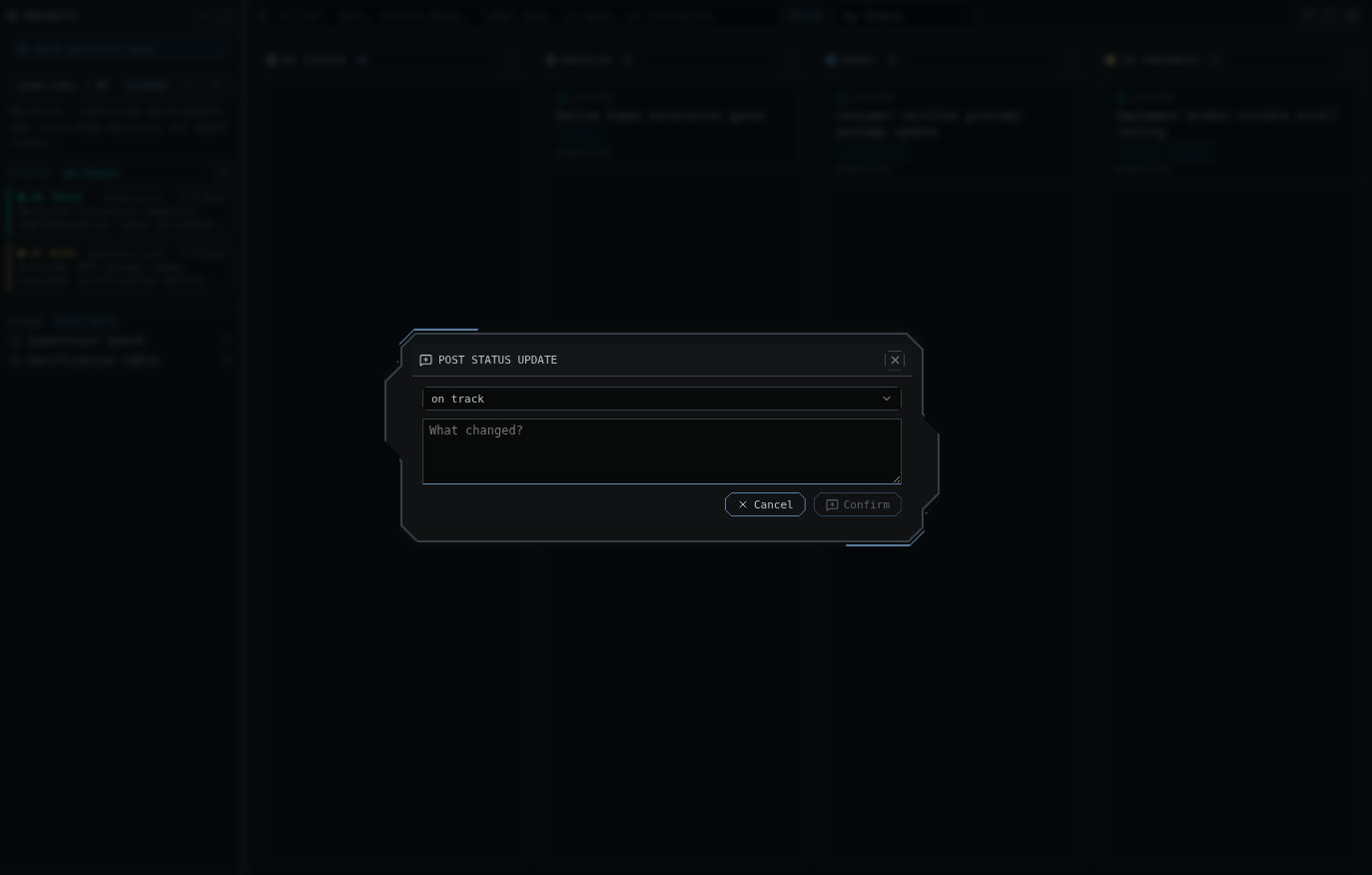
Post project health updates from the same sidebar that shows the current status history
Project operations
When authorized, Desk can:- create a project
- edit project metadata: title, description, README, visibility, and open/closed state
- delete a project, behind a confirmation
- link a repository to a project
- export the visible board (current filter applied) as a TSV file
Next steps
- Read Git and GitHub operations for repository, branch, worktree, diff, and pull-request context.
- Use Troubleshooting and FAQ if
ghlacks the required project scope. - Use Channels when project-board work needs agent discussion.