The attention pipeline
Each agent reports its own lifecycle through hooks Desk installs into the CLI (and, for native-mode sessions, through the SDK): a turn started, a turn finished, a tool opened or closed, a permission requested. Desk reads those typed events — it does not watch the terminal and guess. Each becomes:- a pulsing lamp on the session row, bubbling up to collapsed groups and projects,
- an event card in the drawer,
- and an attention sound that follows the mute setting.
An agent that has not reported reads as unknown, not as idle. That is the
point: the lamp is worth looking at precisely because it never invents a state
it was not told about. Run
desk hooks install and restart a session if one
stays unknown — see Troubleshooting.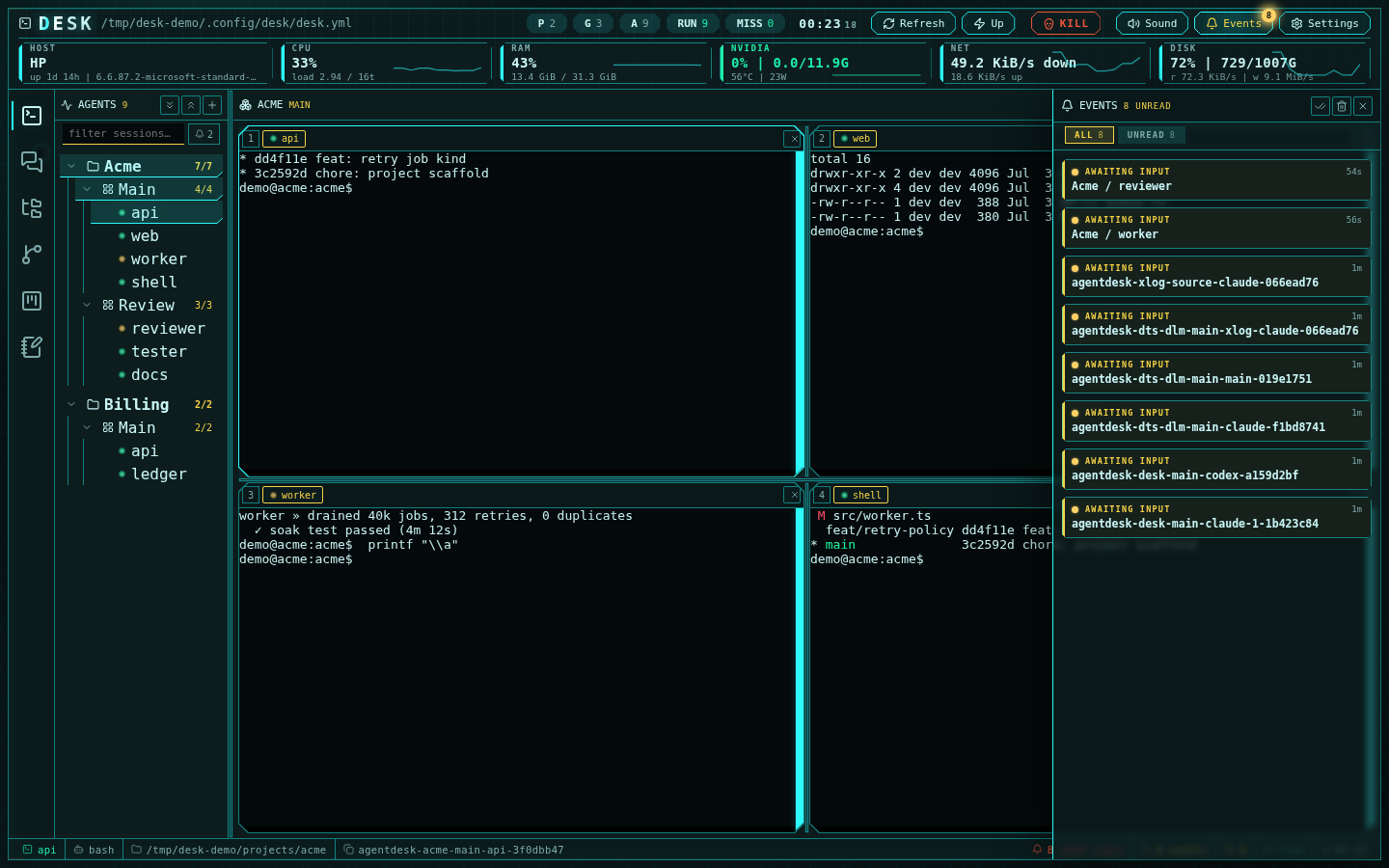
The events drawer: kind filters, unread lamps, per-card navigation
Triage with the palette
Ctrl+K is the fastest route to whoever needs you — attention-needing
sessions rank first, then recents, then tree order:
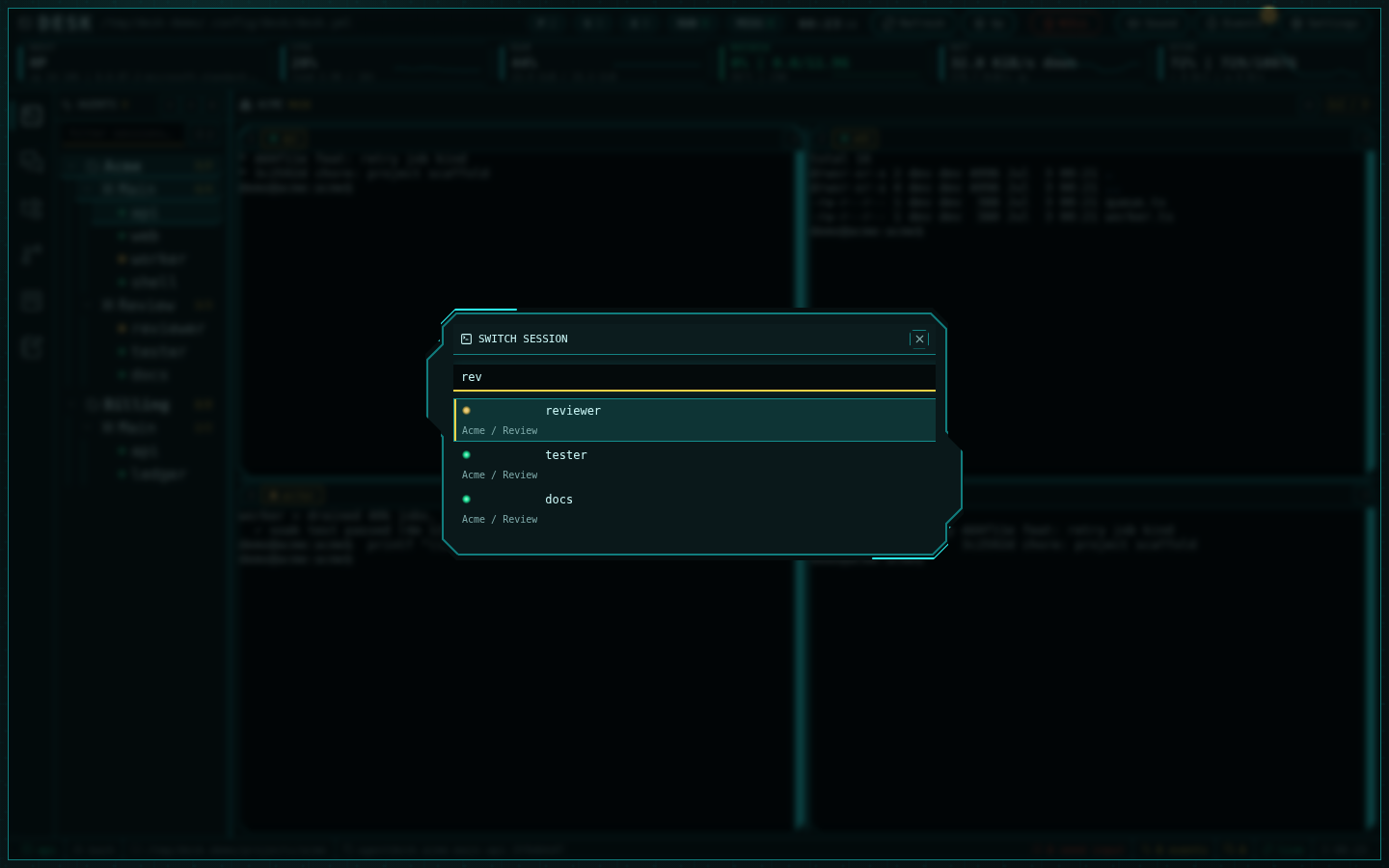
The session quick-switcher: fuzzy search, attention-first ranking
Ctrl+Alt+1..9 focuses grid cells directly, and Ctrl+Alt+←/→ cycles the
whole tree. The sidebar’s bell chip filters to screaming sessions only.
Channel signals
Channel messages emit their own event cards —@human mentions flagged —
and unanswered mentions escalate into the channels Inbox. Unread badges
on the rail and status bar stay live even while you work in another
subsystem, and the While you were away digest summarizes what
accumulated.
Status bar: the always-on summary
The bottom bar keeps the counts visible everywhere: agents needing input, unread events, unread channel messages, mute state, and sync health. Each is clickable — the needs-input count opens the drawer filtered to inputs.Make it yours
Settings (gear icon) control the experience: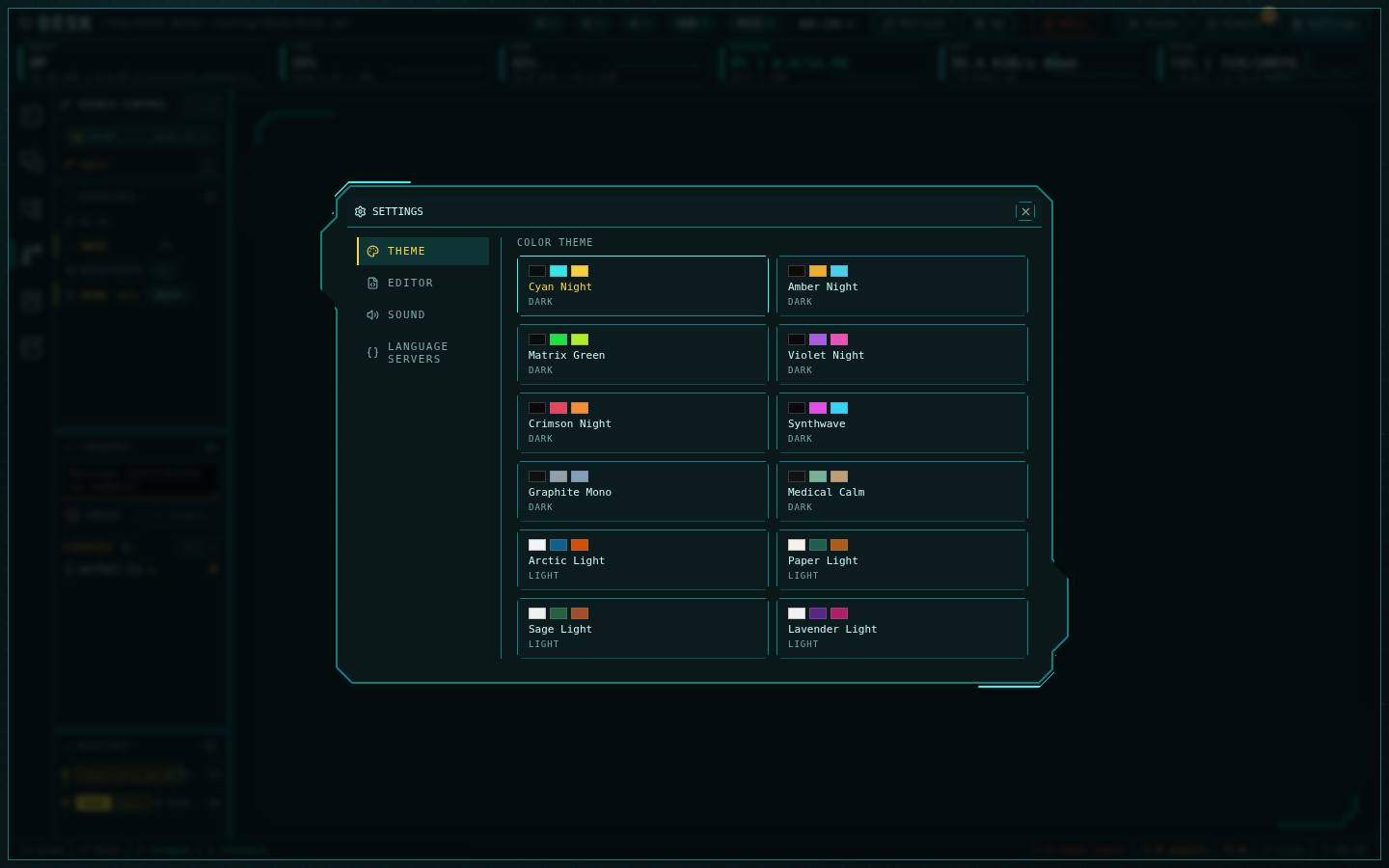
Settings: switchable themes, sound, autosave, and language servers
- Themes — applied live including terminal colors: Desk’s own tinted set, a monochrome set (black, charcoal, slate, iron, obsidian and a plain terminal on the dark side; paper white, fog, silver, newsprint and ash on the light side) and a few palettes drawn from well-known editor schemes (Midnight, Porcelain, Snow, Carbon, Solarized Light, Monokai, Ayu Dark).
- Sound — the full Arwes sound design or silence; the toolbar toggle matches.
- Host metrics — On / Off; Off hides the CPU, memory, GPU and network cells in the top bar.
- Motion — On / Off; Off stops every animation, including the Events badge, the logo glint and the terminal cursor, removes the moving backdrop and closes modals at once. Colors and counters stay visible. The OS reduced-motion setting does the same.
- Notifications — which Events kinds reach the drawer, its badge and the sounds, from the moment of the switch; a message that names you has its own sound.