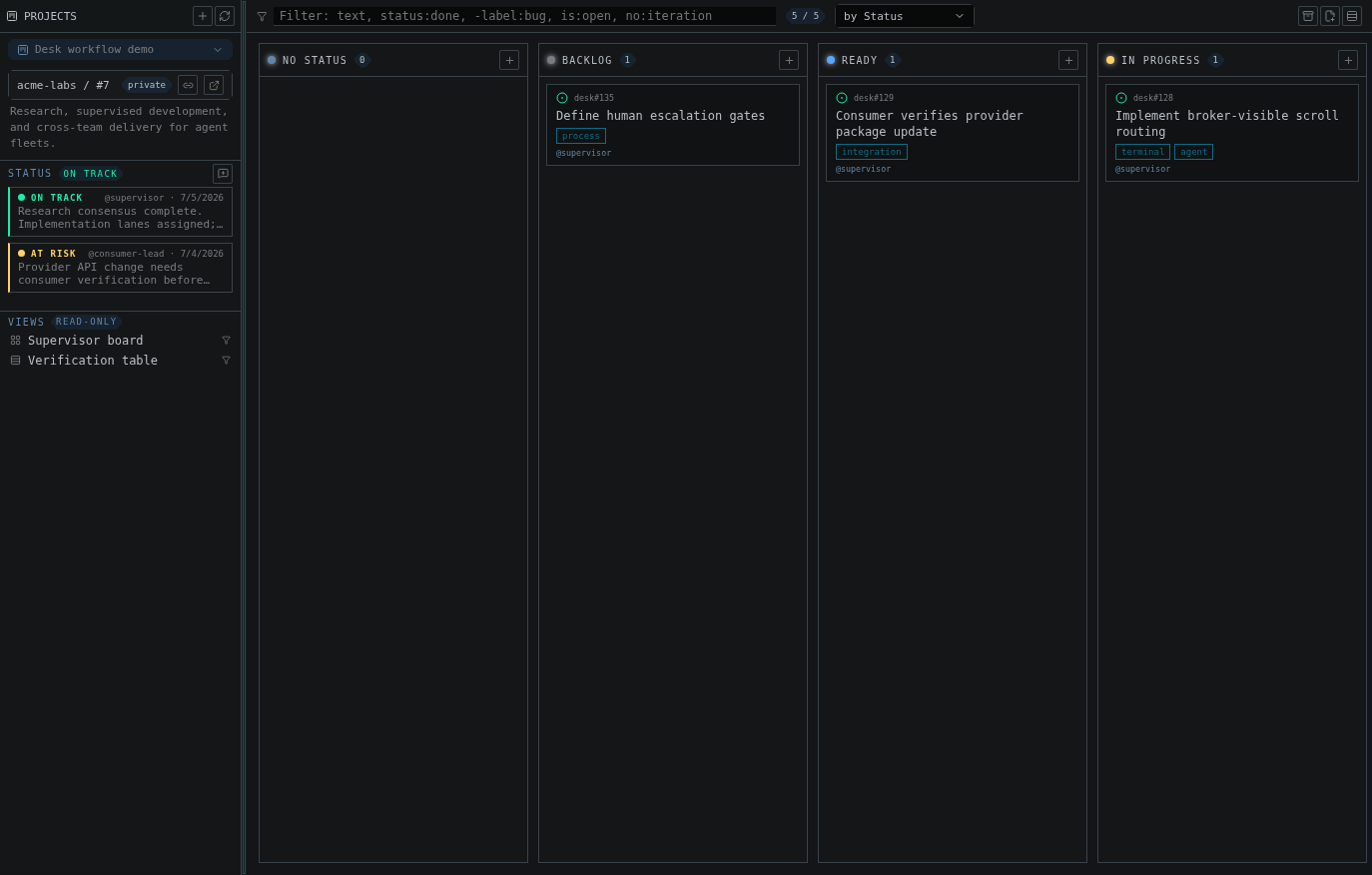
A project board beside the agent workspace: current health, saved views, filters, and grouped work items
Connect
The subsystem uses your GitHub CLI login and needs theproject scope:
Triage on the board
Group the board by Status (or any single-select or iteration field), drag cards between columns, and reorder within a column — the same mutations GitHub applies, throughgh. Saved views defined on GitHub appear as chips;
the filter bar takes GitHub-style syntax:
Work items without leaving Desk
The item drawer opens issues, pull requests, and drafts with markdown bodies and recent comments. From the drawer or the card menu you can: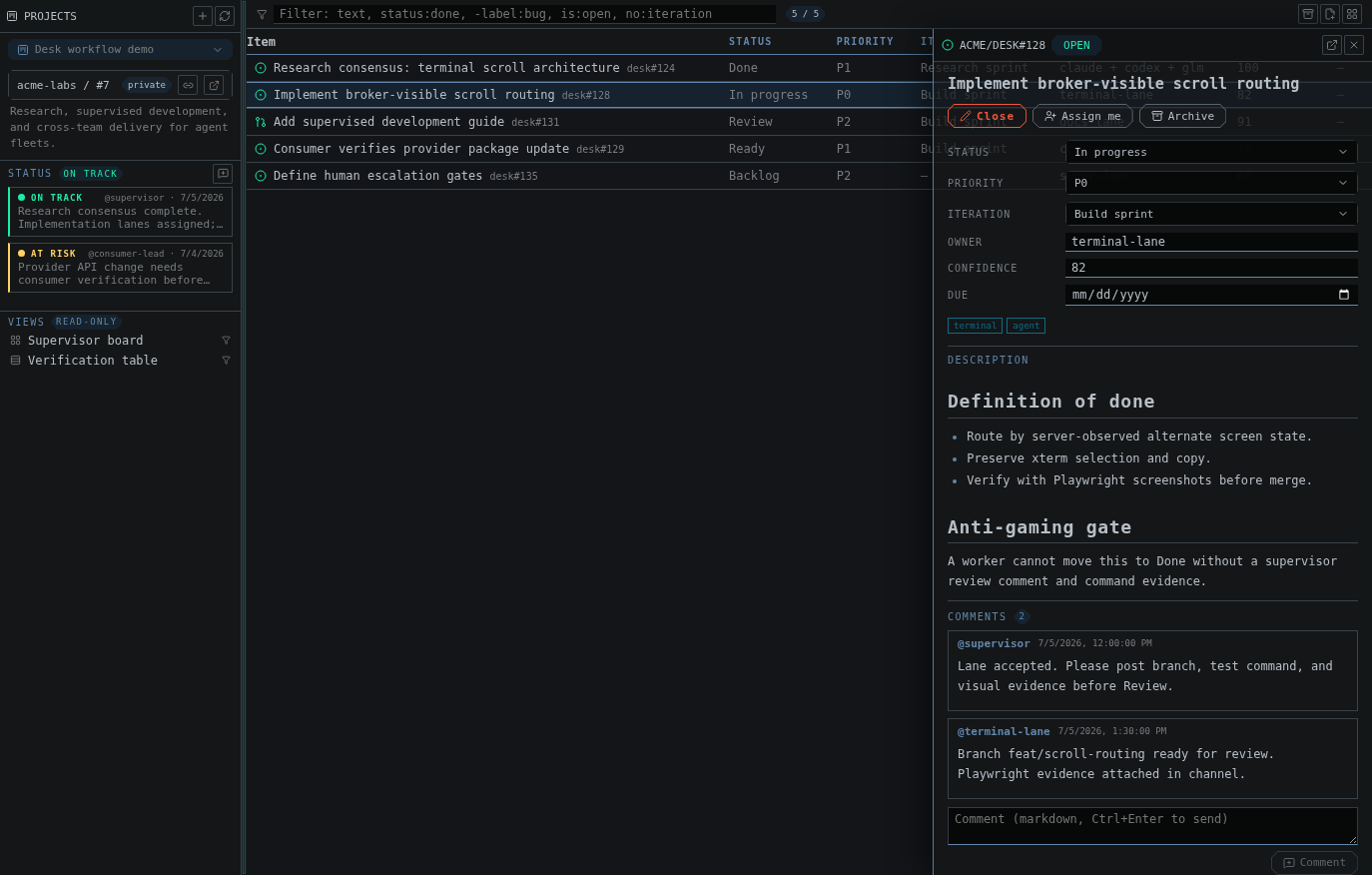
A work item with fields, a rendered definition of done, an anti-gaming gate, and supervisor comments
- edit any field (text, number, date, single-select, iteration)
- assign yourself, close and reopen
- comment
- convert a draft into a real issue in a chosen repository
- archive, unarchive, or remove from the project
Post status updates
Project status updates (on track, at risk, off track, complete) post from the sidebar and show with their tone — the planning heartbeat lives next to the terminals doing the work.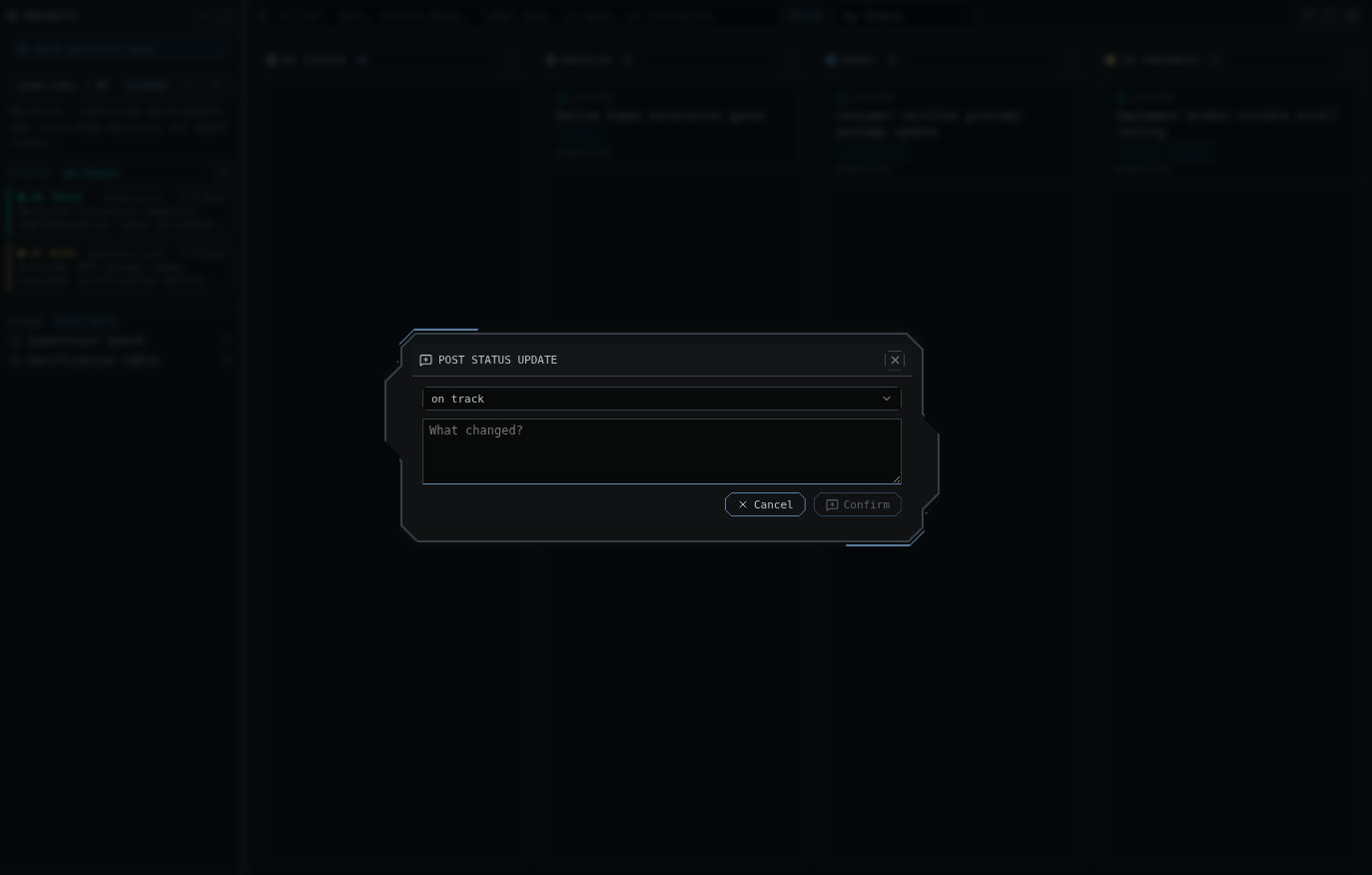
Posting a project status update from the planning sidebar
A working rhythm
- Morning: filter
is:open no:iteration, drag this sprint’s cards in. - Assign a card, then open the matching project channel and mention the agent with the card’s acceptance criteria.
- As agents finish, move cards by dragging — or let the reviewer agent
comment on the issue directly via
gh. - Post a status update before you step away.